Level Up
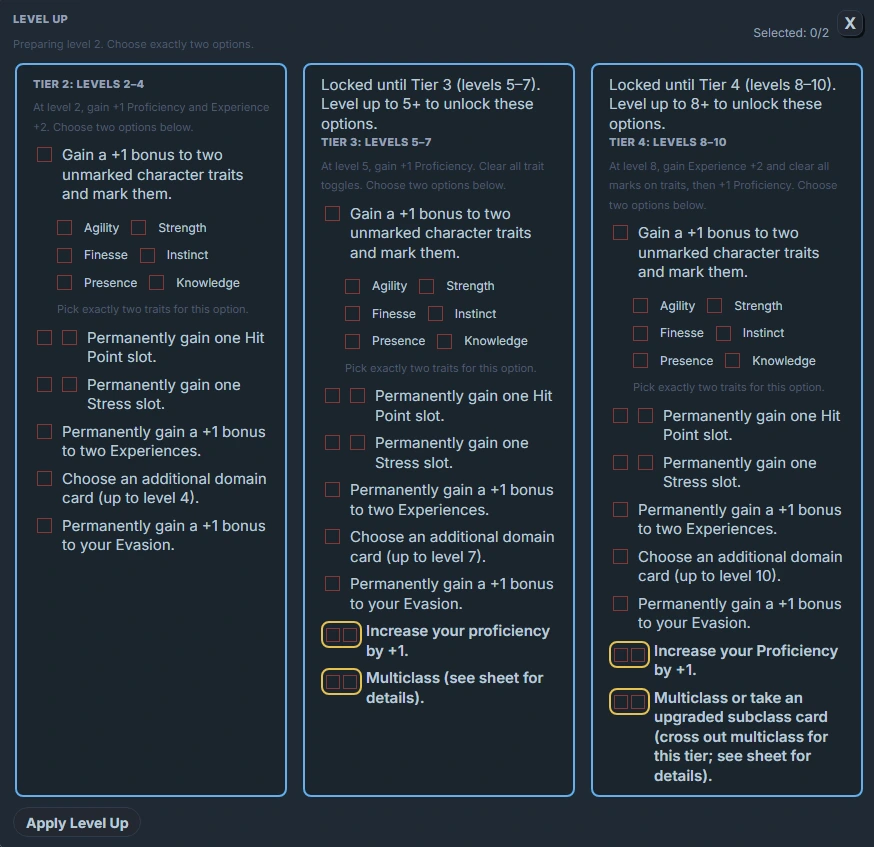
The Level Up feature gives you a dedicated UI for advancing a character. It can be launched in two ways:
- From the Level Up button in a rest block.
- From a standalone levelup code block.
Both open the same Level Up modal, tied to the current character note.
For an overview of all blocks, including rest and vitals, see the Code Block Reference.
What the Level Up modal does (conceptually)
The Level Up modal is responsible for:
• Reading the current character’s note (frontmatter, level, domains, etc.).
• Walking you through your level‑up steps (per your house rules).
• Triggering Domain card selection via the Domain Picker when appropriate
(e.g. “Add 1 new Domain card at this level”).
The exact sequence inside the modal is configurable in plugin settings, but from the note’s perspective you just need a way to open it.
Level Up via rest block
You can add a Level Up button into your rest controls row. When clicked, it:
• Resolves the current note file.
• Opens the Level Up modal for that character.
• Shows a notice if it can’t resolve a file (very rare in normal use).
Example – Rest bar with Level Up
```rest
styleClass:

# Rest buttons
show_short: true
show_long: true

# Turn on the Level Up button
show_levelup: true
levelup_label: "Level Up"

# Optional: other controls off
show_full_heal: false
show_reset_all: false
```
This adds a “Level Up” button alongside your Short / Long Rest buttons.
Relevant rest options for Level Up
| Property | Type | Default | Description |
|---|---|---|---|
show_levelup | Boolean | false | Whether to show the Level Up button. |
levelup_label | String | "Level Up" | Label text for the Level Up button. |
styleClass | String | none | Styling hook for the whole rest control row. |
The Level Up handler in
restalways targets the current note (the one containing the block).
Standalone levelup block
If you want a dedicated Level Up area, you can also use the levelup code block. It doesn’t accept YAML options; it simply renders a button that opens the same Level Up modal.
Example – Inline Level Up button
```levelup
  levelup_label:
  styleClass:
```